
Coach from real activity
PrepRep shows you who's getting in new doors, what they presented, and what closed, so every one-on-one and sales meeting starts from the same facts.
What you see
The whole team's prospecting, in one place.
Deal Desk dashboard
Who's prospecting, which tools they're using, open pipeline value, revenue won, and who hasn't logged in yet.
Weekly activity goals
Set a weekly goal for the team or for each rep, and see who hit it at a glance.
Monthly and custom reports
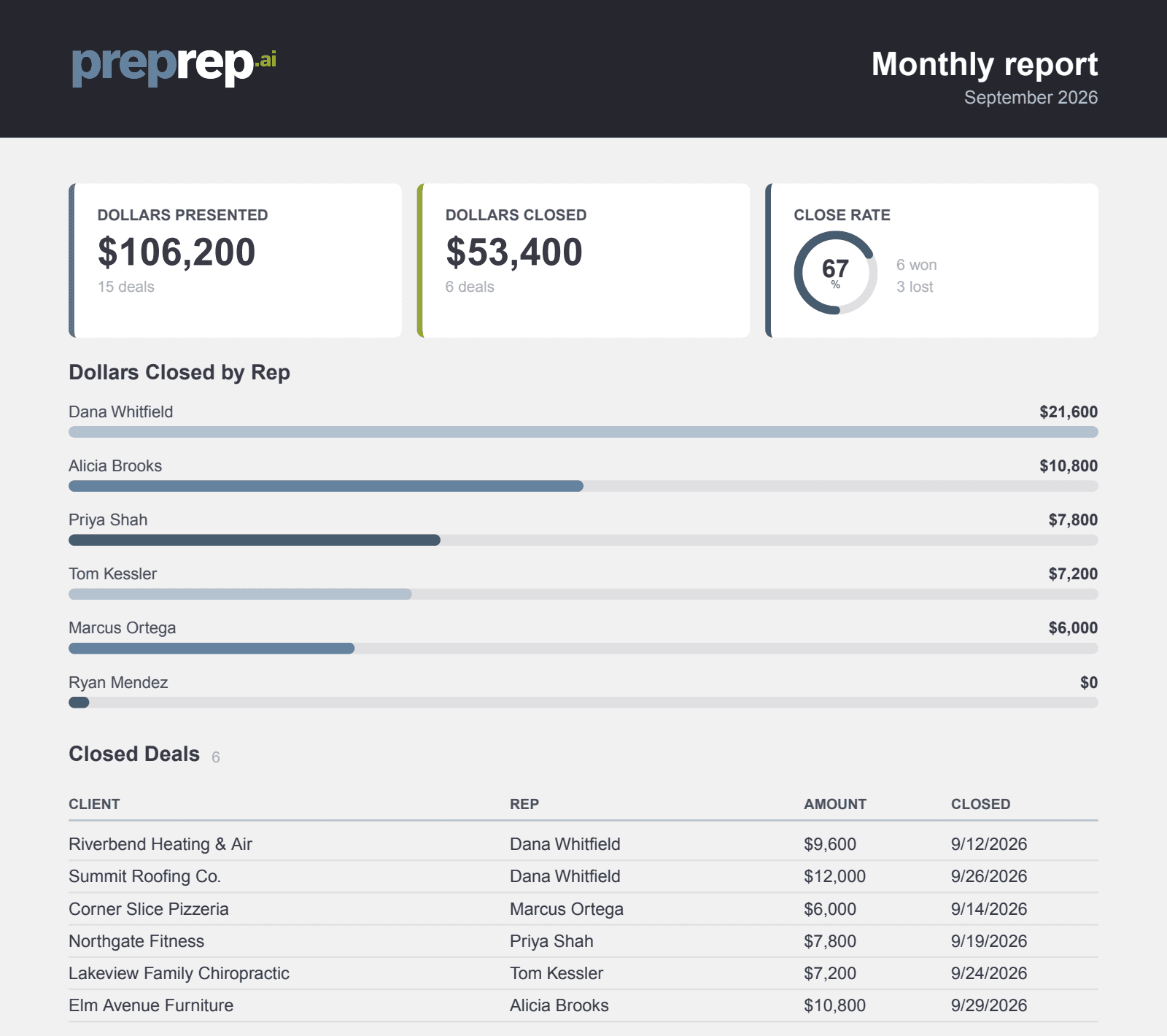
Dollars presented and closed by rep, each rep's prospects listed under their name, close rate, and tool usage. Download as a one-page PDF.
Needs attention
Prospects that have sat in the same stage for a week or more, and follow-ups that are due, surfaced before they go cold.
Levels and badges
Reps earn points for reports, appointments and revenue, and level up. It rewards the habit, not just the close.
Team management
Add and remove reps, set roles, and reassign a departing rep's prospects so nothing is lost.
Questions from managers
- Can reps see each other's numbers?
- No. Reps only see their own work. Managers and admins see the team.
- What's in the monthly report?
- Dollars presented and closed by rep, each rep's prospects, close rate and tool usage, as a one-page PDF.
- How do levels and badges work?
- Reps earn points for running reports, logging appointments and closing revenue, then climb ten levels from Rookie to Legend. It rewards the habit, not just the close.
- Can we start with one market?
- Yes. Start with one and add markets and reps when you're ready.
See what your reps could walk in with tomorrow
A 20-minute demo on your own market: we'll run the tools on a business you're calling on this week.