
From the first conversation to the closed deal
The three tools get your rep in the door. Deal Desk is where they run everything after: every prospect's status, who's engaged, what's due today, their closing ratio, and their climb from Rookie to Legend. Built into every PrepRep subscription.
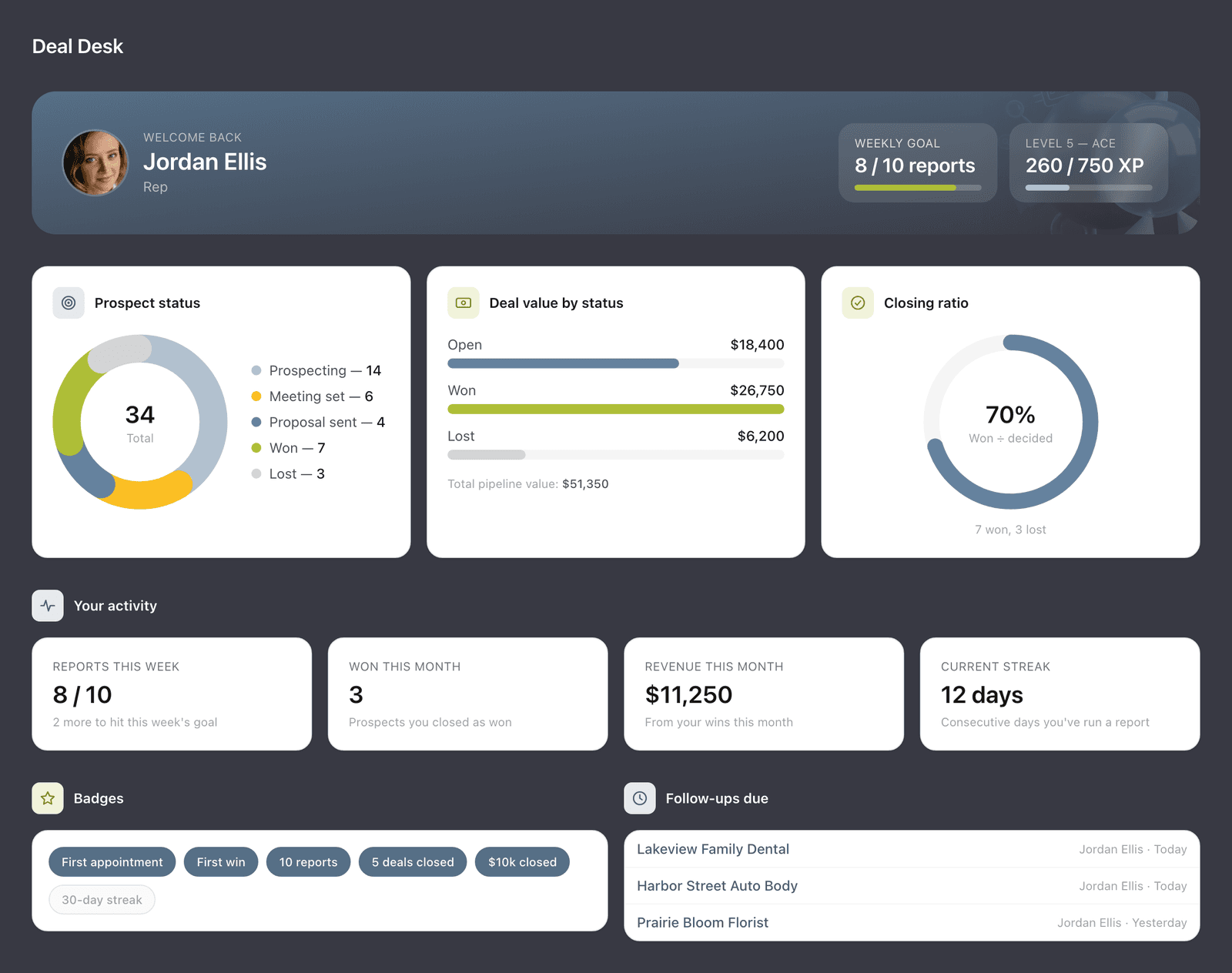
Everything a rep needs to close, in one place
Your numbers at a glance
Closing ratio, deal value at every stage, and dollars presented and closed. Reps see their own; managers see the whole team.
Every prospect in one view
See each prospect's status, from prospecting to meeting set, proposal sent, and won or lost, plus a quick overview of what the business offers and who to contact.
Know who's engaged
See which prospects opened your report and how many times, and which follow-ups are due today, so you call the warm ones first.
From Rookie to Legend
Running reports, logging appointments and closing revenue earn points. Reps climb ten levels, from Rookie to Legend, and pick up badges and a weekly goal along the way.
Built around how radio reps actually sell
Tracked share links
Send a NeedMeter or BrandScan as a link instead of an attachment, and see when it's opened.
Executive summaries
Shared reports open with a short, plain-English summary for a busy owner.
Follow-up reminders
Told them you'd call back Friday? Set it, and it shows up when it's due.
Appointment logging
Log every appointment in a click. It counts toward the weekly goal and level.
Library
Every report and spot a rep has run, ready to replay, download or resend.
Client summary sheet
A one-page, printable summary of everything PrepRep found. Bring it to the meeting.
How it works
Step 01
Research the prospect
Run NeedMeter, BrandScan and SpotBot. Every report is saved with the prospect.
Step 02
Share and watch
Send a report as a tracked link and set a follow-up reminder.
Step 03
Follow up at the right moment
When the prospect opens it, you'll see it. That's the time to call.
Step 04
Move the deal
Update the status as it progresses. The closing ratio and level update with it.
When rejection handlers fail
Ask for an email. Send the tracked link. Watch for the open.
When a prospect isn't ready to talk, the rep offers to send one of the reports. The shareable link is tracked, so the rep checks back daily. When the prospect opens it, it's time to follow up, while the report is fresh in their mind.
To: Dana Whitfield, Riverbend Heating & Air
Subject: The search report I mentioned
Hi Dana,
Thanks for your time today. Here's the report I mentioned: how many people near you are searching for heating and air service each month.

Riverbend Heating & Air
preprep.ai/api/share/k7Qm2x…
Jordan Ellis
Account Executive
In PrepRep
NeedMeter share link
Viewed 2 hours ago (3×)
Opened three times. Time to follow up.
Questions about Deal Desk
- What does a manager see that a rep doesn't?
- Reps see their own work: their prospects, closing ratio, activity, level and badges. Managers and account admins also see the whole team, including activity and win rate by rep and monthly reports.
- Does Deal Desk replace our CRM?
- No, it works alongside it. Deal Desk covers the prospecting stretch: the reports, tracked links and follow-ups from first research to a booked meeting and a won or lost deal. Keep using your CRM for accounts and orders.
- How do reps earn points?
- Running reports, logging appointments and closing revenue all earn points. Points move a rep up ten levels, from Rookie to Legend, and milestones earn badges along the way.
- What does a prospect see when they open a tracked link?
- The report itself, with your station group's logo and the rep's contact information, opening with a short plain-English summary. There's nothing to sign up for or download.
See what your reps could walk in with tomorrow
A 20-minute demo on your own market: we'll run the tools on a business you're calling on this week.